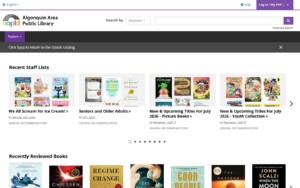
The AAPLD’s new online catalog has arrived! You can access BiblioCommons—featured in the image below—by clicking on it. Full of new features and a fresh look, BiblioCommons will take the place of the library’s current online catalog and be fully activated on Monday, July 13. Don’t worry—if you find yourself at the classic online catalog, you can click the link at the top of that page to get to BiblioCommons. If you wish to return to the classic catalog, you’ll also find a link on the new BiblioCommons page
If you’d like to learn more about Bibliocommons, watch these easy to follow instructional videos to prepare. Have a question? Reach out to our staff, we’re happy to help!